Finding the Perfect Fit: Discover the Best Credit Card Machine for Your Small Business


In 2024, you should be offering your customers just about every payment method available. Tap, swipe, text-to-pay, Apple Pay, Google Pay, the list goes on and on. So, it goes without saying that you need to have a great card reader. And not all card readers are built equally.
Read on to learn how to choose the best credit card reader for your business. With these tips, you’ll be well on your way to offering a world-class, modernised payment experience that’ll impress any customer and keep the old ones coming back.
Better Understanding Payment Security in Australia
Security is a critical factor when any business chooses their credit card machine. In Australia, businesses that process card payments have to follow strict security standards made to protect customer data.
PCI DSS Compliance
Most payment providers comply with the Payment Card Industry Data Security Standard (PCI DSS). These guidelines make sure that businesses securely store, process and transmit payment information.
Consumer Data Right (CDR)
Australia’s Consumer Data Right legislation gives consumers greater control over their financial data. Businesses using payment technologies must ensure that customer data is handled responsibly and shared only with authorised parties.
Open Banking Framework
Australia’s Open Banking framework allows consumers to share financial data securely with authorised providers. While this primarily affects financial institutions, it also controls how payment data is managed across digital platforms.
What Is a Credit Card Reader?
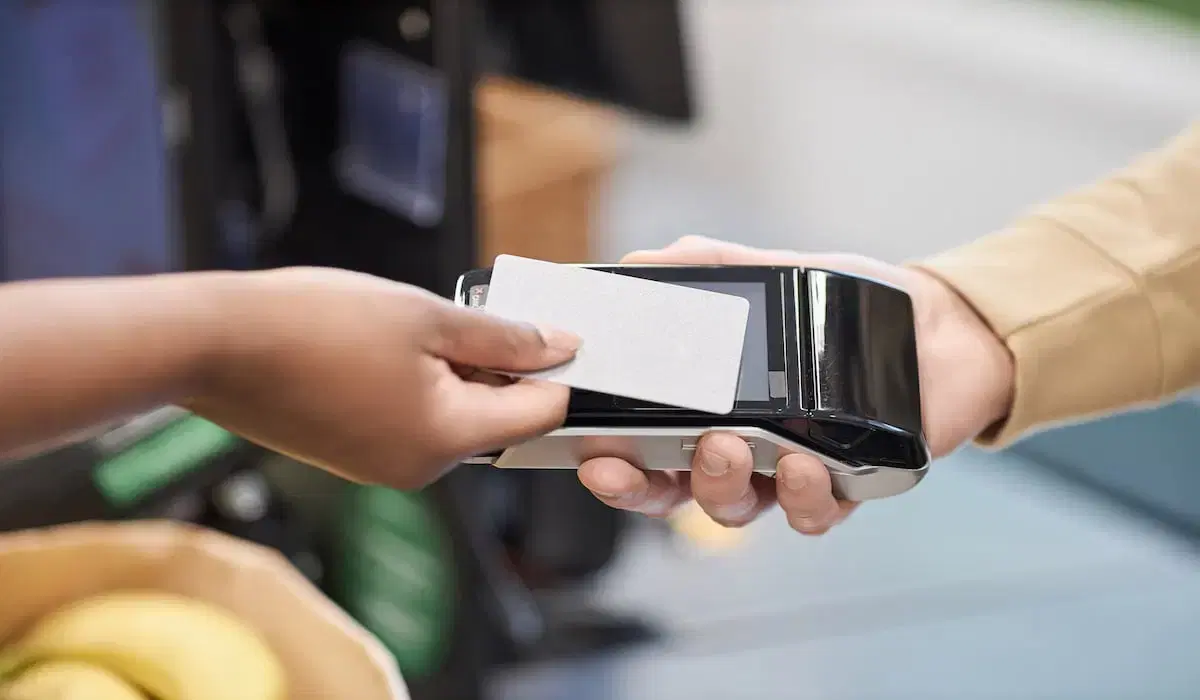
A credit card reader is a device that local businesses use to conveniently process debit card and credit card transactions. When a customer applies for their card, the machine reads the information stored in the magnetic strip or chip and sends that data to a payment processor to verify and authenticate it.
Your credit card reader can be a physical instrument connected to your computer or mobile device, or simply integrated into your payment processing or POS system. With the right card reader, you can offer your customers unparalleled convenience at checkout and save yourself a headache with top-tier data tracking and processing.
For more about credit card readers, check out our complete guide.
The Major Payment Methods in Australia
While credit and debit cards still stand tall as the most common payment methods, Australian consumers increasingly look for a wider range of payment options. Offering multiple payment methods can make transactions easier for customers and help businesses capture more sales.
EFTPOS
EFTPOS (Electronic Funds Transfer at Point of Sale) is one of the most widely used payment systems in Australia. Many Australian debit cards operate through the EFTPOS network, allowing customers to make quick, secure payments directly from their bank accounts.
POLi Payments
POLi is an online payment system that enables customers to pay directly from their bank accounts when making purchases online. It is commonly used for e-commerce transactions and can be useful for businesses that operate both online and in person.
Buy Now Pay Later (BNPL)
Australia has been a major adopter of Buy Now Pay Later services. Platforms such as Afterpay, Zip Pay, and Klarna allow customers to split purchases into smaller instalments. Many modern POS systems integrate with BNPL providers, making it easier for businesses to offer flexible payment options without managing instalments themselves.
5 Best Credit Card Machines for Small Business
Want the scoop on the best credit card machines for small businesses? Look no further. Here are our five favourite credit card machine providers and credit card processing companies for local businesses and what sets them apart.
1. Square
Of the payment solutions, Square offers a fairly cheap contactless/chip reader with no monthly fee. The Square terminal comes with a free headphone jack/lighting port reader and flat-rate processing.
However, it’s not as cost-effective for high-volume sellers, making it perfect for small business owners who process fewer transactions on the day-to-day. It’s also great as a backup to your POS system because the reader itself is free! (Users have reported occasional fund holds, which is something to watch out for.)
2. Clover
Clover’s hardware is also fairly inexpensive and comes with a great web dashboard that is easily navigable as well as a free mobile processing app. With the inclusion of a wide variety of features, this option makes modern, flexible payment processing a breeze. You also get your own merchant account, giving you more stability than a third-party processor.
Things to watch out for? The pricing and terms can vary significantly depending on your specific circumstances. Unlike Square, this option is more expensive for low-volume businesses.
3. Shopify POS
Shopify has a number of different packages that work well for different businesses. Their mobile card reader is excellent for pop-ups and travelling businesses and includes mobile invoicing. If ease of use is your must-have, Shopify is the place for you.
The full point-of-sale subscription package comes with more advanced features as well as a complete Shopify online store, which is huge if your business leans on e-commerce sales. But, there’s no chat support to help your business get the hang of it.
4. Stripe POS
If you’re looking for the best system for omnichannel businesses, Stripe is your guy. Their card reader allows you to process mobile, online, and in-person transactions all in one place. Stripe has a zero monthly fee, works with over 135 currencies, is highly customisable, and, unlike Shopify, offers world-class support for its merchant services.
However, the learning curve with this POS system is slightly steeper than most. The processing fees are also among the most expensive among these options.
5. Your bank’s card reader
Most of the major banks have their own card readers available to business customers. The processing and other fees vary between providers. Some of the key benefits business owners enjoy are low or no hardware fees, and same-day settlement.
Not every bank offers a physical card reader, some just enable your mobile device to accept card payments so make sure you check out what your bank offers to see if it’s right for your business.
How to Choose the Best Credit Card Machine
Now that we’ve covered a few options, how do you choose the right credit card reader for your business needs? Here are a few other factors to consider when making your decision: pricing, functionality, ease of use, compatibility, and flexibility.
Pricing
Let’s chat EMV. More important than the “cheapest” option is finding what will work best for your business–especially in the long run. If a reader has high transaction fees but no monthly fees, this might be a better fit for low-volume sellers (or a backup). If you’re a high-volume seller, you might benefit most from a mobile reader that includes a personal merchant account. When picking a device, examine all the pricing elements alongside your typical processes/ROI and see what will work best for you. (Pro Tip: Watch out for additional fees).
Functionality
Consider your needs here: Is your business often on the go? Do customers in your area prefer to buy online or come in-store? Do your customers prefer text, mobile invoicing, or contactless payment? Your card reader should function well in all the different capacities in which you use it and help you meet the expectations of your customers.
Ease of Use
On that note, your card reader shouldn’t make life more difficult. Like your iPhone, it should be simple, with an intuitive interface and an attractive, minimalist design. The touchscreen is ideal. The best card readers sync everything into one system, allowing you to track your transactions with ease and keep your customers updated without breaking a sweat. Your POS system should hold to the highest PCI data security standards as well.
Compatibility
Evaluating payment processing options and transaction fees aren’t the only elements you should keep in mind. You should also take the needs of your customers, your industry, and your budget into account. If you own a furniture company, it’s key to locate a device that’s compatible with retail POS systems and your loyalty program. If you operate in the medical field, the reader you choose should integrate well with the best medical POS software.
Flexibility
A couple of other things? You want a device that comes with a really good app, is highly flexible, offers great connectivity, acts as a virtual terminal, and is able to function offline when your Wi-Fi, Bluetooth, or internet connection is down. Your credit card processor should also be able to accept all payment types: magstripe, MasterCard, Visa, American Express, all types of credit cards, android, mobile credit cards, text, contactless via NFC, Apple, Google, mobile payments, online payments, etc.
Creating the Best Possible Payment Experience for Customers
The checkout experience impacts everything. When payment is quick and seamless, customers are more likely to complete their purchases and return in the future. Fast transaction speeds, contactless payments and mobile wallet compatibility all contribute to a better payment experience. Customers increasingly expect to tap their cards, pay with their phones, or complete transactions digitally without delays.
For businesses that operate in fast-paced environments such as retail stores, cafés, and service providers, reducing checkout time can also help staff serve more customers efficiently.
Choosing a credit card machine that supports modern payment methods and processes transactions quickly can improve both customer satisfaction and operational efficiency.
Setting Up Payment Systems for the Future
Payment technology continues to evolve rapidly. Businesses that adopt flexible payment systems can more easily adapt to changing consumer expectations and emerging technologies.
- Contactless payments have become the standard for many Australian consumers, allowing customers to complete transactions quickly by tapping their card or device.
- Digital wallets such as Apple Pay and Google Pay are also growing in popularity, giving customers the option to pay using their smartphones or smartwatches.
QR code payments are another emerging option, allowing customers to scan a code and complete payment directly from their mobile device.
By choosing payment systems that support these technologies, small businesses can stay remain competitive as payment preferences continue to change.
Pairing the Right Payment With the Right Industry
Different industries call for different payment methods. Understanding how various credit card readers work in specific environments can help businesses choose the right solution.
- Retail stores: Retail businesses often benefit from integrated POS systems that combine payment processing, inventory management, and reporting tools.
- Healthcare clinics: Medical practices typically require secure payment systems that integrate with healthcare management software and allow for quick patient checkout.
- Hospitality businesses: Restaurants, cafés, and bars often rely on portable card readers so staff can accept payments at tables or counters without slowing service.
- Mobile and service-based businesses: Tradespeople, delivery services, and pop-up vendors often use mobile card readers that connect to smartphones, allowing them to accept payments wherever they work.
Transform Your Small Business Success: Discover the Benefits of Podium’s Tools and Services
Want some free tools to boost your operations? We’ve got you covered.
Over 150,000 local businesses use Podium as a one-stop-shop solution to offer a modern payment experience. With Podium’s messaging suite, you have all the tools you need to take your small business to the next level, including:
And that’s not all. Intuitively designed specifically for local businesses, Podium’s payment tool is a convenient solution for small businesses in every industry. It offers your customers the easiest way to pay — text-to-pay. With this tool, you can send messages and invoices in the same text thread to get paid quickly, take payments on the go, and drive more revenue.
FAQs
Hungry for more? Here are a few frequently asked questions.
How much does a credit card machine cost per month?
It depends on the credit card machine–and it depends on the month. Your cost can vary significantly depending on which provider and which package you choose. But there are a few costs to count on.
Essentially, all credit card machine options come with a reader that’s typically $29-$300 and processing rates that range from about 2.4% to 2.9%, plus a flat rate. Some options charge a monthly fee, and others don’t (about half and half).
How do I get a card machine for my small business?
Easy as pie. Simply go to the provider’s website, click “Start a free trial,” and enter your information. Of course, some providers make it easier than others. Free trials can be a significant advantage here and show you if a provider really cares about making sure you find the right fit.
How do I know it’s working?
Look to your customers and look to your business. Do customers seem frustrated at your countertop? How long is the credit card processing taking? Do they have to wait? Does your processor bring everything into one place for easy tracking? Does it give you mobile invoicing options? Keep tabs on your payment experience and make changes as necessary. If you or your customers are running into frustrations or exorbitantly high fees, it might be time to make a switch.