Top 10 Email Inbox Management Software in Australia (2025 Edition)


We still hear businesses that say email overload is still one of their most common bottlenecks. It impacts productivity, plus it has a knock-on effect for your customer service too. You could be running a busy clinic, managing multiple client accounts, or operating a national retail brand; it doesn’t matter, managing your inbox can either drive results or derail your day.
That’s why inbox management software has evolved. It’s gone from simple filters to intelligent tools that help automate follow-ups, prioritise critical communication, and make team collaboration easier than ever. Powered by AI, these platforms are all about saving time, reducing clutter, and ensuring that no opportunity slips through the cracks.
In this guide, we rank the top 10 inbox management solutions currently available in the Australian market. It’s time to change the way your business does email marketing, for good.
Why inbox management is no longer just email
The term “inbox management” still sounds like it’s about email, but for most Australian businesses in 2025 that’s only a small part of the picture. Customers now reach out through whichever channel is closest at hand; an email one day, a text message the next, a Facebook DM or a website chat the day after that.
This shift toward omnichannel communication means a genuinely useful inbox management tool has to handle SMS, live chat, and social media direct messages alongside email, not as an afterthought but as core functionality. A tool that only manages email is solving half the problem, leaving staff to check three or four other apps to catch everything else coming in.
The bigger change is what customers now expect once they’ve sent that message. A generation used to instant messaging apps doesn’t distinguish much between a text to a friend and a message to a business, and expects a response on a similar timeline. Waiting a day or two for an email reply used to be normal. Waiting that long for a reply to a Facebook message or a website chat now reads as poor service, whether or not that expectation is entirely fair.
That expectation gap is exactly why unified inbox platforms have taken off. Bringing every channel into one place doesn’t just save staff time switching between apps, it’s what makes a genuinely fast, consistent response possible in the first place.
Picking the right inbox management software
With ten solid options ahead in this guide, it helps to narrow the field before comparing features line by line. A few questions do most of the heavy lifting.
Team size matters more than it might seem. A solo operator or small team of two or three usually needs something simple that gets out of the way, tools like SaneBox or Clean Email were built with exactly this in mind. Larger teams juggling shared responsibility need proper collaboration features, shared inboxes, internal notes, and assignment rules, which points toward platforms like Front or Missive instead.
Use case mapping is the next filter. A support heavy business fielding constant customer queries has very different needs to a sales team chasing leads across multiple channels, and a healthcare provider managing appointment related messages has different needs again. Matching the tool to the actual job it needs to do, rather than picking whatever’s ranked highest, tends to produce better results.
Integration requirements are easy to overlook until they cause a problem. If your business already runs on a particular CRM, calendar system, or payment platform, check that any shortlisted tool actually connects to it before committing, rather than assuming it will.
Finally, think about automation level as a simple decision tree. Do you want a tool that just organises what lands in your inbox, one that automates follow ups and reminders, or one that also handles review requests, payments, and multichannel conversation all in a single place? The further you move along that spectrum, the closer you get to an all in one platform like Podium rather than a pure email tool.
#1 Podium Australia
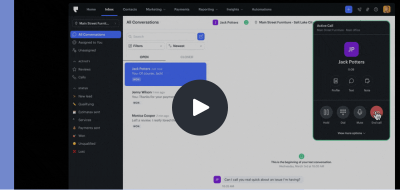
With Podium Inbox Management, your customer messaging is found in a single, unified inbox. It brings together every chat, text, review, email, and social message in one easy-to-use thread. It’s built to help businesses respond faster, as well as to automate outreach and convert as many leads as possible without bouncing between platforms. With Podium, you never miss a message or an opportunity. It could be a review request, a payment follow-up, or a simple appointment reminder. It doesn’t matter; your team connects with customers in real-time, across all channels, from one central place. It’s communication made faster, smarter, and more efficient.
Key Features
Podium brings forward plenty of great features. Firstly, it’s a unified inbox for managing both email and text conversations. Follow-ups are automated, and the system integrates with popular CRMs and calendars. Teams can then collaborate in real time, manage multiple conversations at once, and get actionable data.
Why It’s Great for Australian Businesses
Podium is fully aligned with the Australian Privacy Act, and offers support tailored to Australian time zones and industries. It’s especially valuable for businesses in healthcare, trades, real estate, and retail that rely on fast, responsive communication to generate and convert leads.
The Good and the Bad
Podium significantly improves communication speed and clarity. This is all down to its intelligent automation and multichannel inbox. It may require a brief onboarding period to fully customise workflows, but the long-term gains far outweigh any lengthy setup time.
Best For
This platform is ideal for customer-facing teams, retail, auto, healthcare providers, and home services. Essentially, any business that handles high volumes of emails and messages daily will benefit.
#2 Front
Front turns team emails into collaborative workstreams. It lets teams share inboxes, assign messages, and track performance while integrating with CRMs and helpdesk tools.
Key Features
The platform supports shared inboxes, internal commenting, templates, automated rules, and integrations with Slack, Salesforce, and more. It also tracks response times and message ownership. For you, that means nothing slips through the cracks.
Why It’s Great for Australian Businesses
Front is a solid option for businesses in Australia that require shared inbox functionality alongside some extra team accountability. It supports local email providers and allows customer service teams to work within the same interface.
The Good and the Bad
Front simplifies collaboration across teams and tracks performance to a very high level. However, it may be more advanced than necessary for smaller businesses looking for more straightforward email workflows.
Best For
Customer support and sales teams working collaboratively across shared inboxes.
#3 Superhuman
Superhuman is designed to help individuals process email faster through automation, shortcuts, and AI-based follow-ups. It does all this with a clean, minimal interface.
Key Features
Users benefit from predictive replies, keyboard-driven workflows, reminders for unanswered emails, and built-in scheduling tools.
Why It’s Great for Australian Businesses
Professionals in Australia enjoy the increased speed and clarity of Superhuman’s email workflow, particularly if they work across time zones or require inbox zero to stay focused.
The Good and the Bad
It’s an excellent option for executives and high-performers, but some may be put off by the premium price. Plus, it’s less collaborative than team-oriented solutions.
Best For
Founders, consultants, and executives looking for personal email mastery.
#4 SaneBox
SaneBox adds a layer of AI to your existing email account. It automatically filters low-priority messages into separate folders and highlights what really matters most.
Key Features
It works with any email client and includes smart filtering, follow-up reminders, spam blocking, and snooze features, without needing a new interface.
Why It’s Great for Australian Businesses
Australian professionals appreciate that SaneBox works with local ISPs and email systems without disruption, offering a smart layer of inbox management without requiring platform migration.
The Good and the Bad
SaneBox is low-maintenance and highly effective at decluttering. It lacks built-in collaboration tools, which makes it better suited to individuals rather than teams.
Best For
Solo professionals and consultants who want to regain control of a cluttered inbox.
#5 Mailbird
Mailbird is an all-in-one email client for Windows that brings together multiple email accounts, calendars, apps, and messaging platforms into one customisable workspace.
Key Features
Users can manage Gmail, Outlook, Slack, WhatsApp, and Google Calendar within the same window. The main features include unified inboxes, task integrations, and fast email browsing.
Why It’s Great for Australian Businesses
Mailbird is particularly useful for desktop-based professionals in Australia who manage multiple accounts or want a simple hub for productivity tools.
The Good and the Bad
It’s visually clean and easy to navigate but it’s currently only available for Windows users, which limits its audience slightly.
Best For
Multitaskers, account managers, and administrative staff handling multiple communication channels.
#6 Clean Email
Clean Email helps users automate email cleanups, unsubscribe from unwanted senders, and create smart filters to manage their inbox over time.
Key Features
The platform enables bulk actions, automated filtering, and privacy-first features to keep inboxes organised and secure.
Why It’s Great for Australian Businesses
Businesses and professionals in Australia can get a lot from Clean Email’s ability to quickly sort through years of old messages while complying with data security standards.
The Good and the Bad
Clean Email is great for one-time cleanups or ongoing inbox maintenance but lacks collaboration or team inbox features.
Best For
Freelancers, business owners, and marketing professionals cleaning up high-volume inboxes.
#7 Spike
Spike turns traditional email into a conversational, chat-style experience. It’s a great combination of email, notes, collaborative docs, and video calling all in one app.
Key Features
You can chat, reply, edit shared docs, and set up meetings from within your inbox. It’s a fresh take on communication that blends email with modern collaboration tools.
Why It’s Great for Australian Businesses
Spike is ideal for modern workplaces, remote teams, and creative agencies that want real-time collaboration without relying on separate chat apps.
The Good and the Bad
Spike encourages fast, flexible conversations, though users accustomed to traditional email may need time to adjust.
Best For
Creative teams, startups, and remote-first businesses.
#8 Emailgistics
Emailgistics adds advanced team and performance features to Outlook shared inboxes. The focus is on assigning, responding, and tracking inbound emails in real time.
Key Features
Users benefit from response-time analytics, SLA tracking, auto-routing, and reporting within Microsoft Outlook.
Why It’s Great for Australian Businesses
It’s a great choice for support teams using Microsoft 365 in Australia, enabling more structure and accountability within a familiar environment.
The Good and the Bad
While easy to adopt for Outlook users, it’s less relevant for businesses not on Microsoft platforms.
Best For
Customer service and admin teams using Outlook-based workflows.
#9 Helpwise
Helpwise consolidates team inboxes for email, SMS, and WhatsApp, giving customer service and sales teams a centralised place to manage all conversations.
Key Features
It offers real-time collaboration, tagging, message assignment, internal chat, and third-party integrations to help teams stay responsive.
Why It’s Great for Australian Businesses
Australian teams appreciate Helpwise’s multichannel capabilities and accessible pricing, especially in growing support teams or busy sales environments.
Pros and Cons
It’s affordable and scalable, though initial setup may require time to connect all communication channels.
Best For
Customer service, ecommerce, and sales teams needing to manage volume across email and chat.
#10 Missive
Missive is a collaborative email platform that lets teams manage conversations, chat internally, assign tasks, and set up automation from one inbox.
Key Features
It’s designed to handle shared inboxes, internal team chat, email templates, and integrations with tools like Trello, Asana, and Zapier.
Why It’s Great for Australian Businesses
Australian teams managing client conversations benefit from Missive’s smooth task delegation and cross-functional communication.
The Good and the Bad
Missive is ideal for teams but may feel overwhelming for solo users or small businesses with simpler workflows.
Best For
Agencies, client services teams, and businesses where email requires collaboration and workflow automation.
Integration capabilities comparison at a glance
Not every tool on this list handles the same range of channels, and that’s often the deciding factor once the core feature comparison is done.
| Tool | Omnichannel inbox | Email only | SMS / WhatsApp support |
| Podium | Yes: email, SMS, chat, reviews, social | No | Yes |
| Front | Yes: email plus some chat and social | No | Limited |
| Superhuman | No | Yes | No |
| SaneBox | No | Yes | No |
| Mailbird | Partial: email plus chat apps | No | Yes |
| Clean Email | No | Yes | No |
| Spike | Partial: email plus chat and docs | No | No |
| Emailgistics | No | Yes, Outlook only | No |
| Helpwise | Yes: email, SMS, WhatsApp | No | Yes |
| Missive | Partial: email plus team chat | No | No |
The clearest split in this list is between tools built purely to manage a single email account faster, Superhuman, SaneBox, Clean Email, and Emailgistics fall squarely here, and tools built to unify multiple channels into one place.
SMS and WhatsApp support is where the gap really shows. Only Podium, Mailbird, and Helpwise offer genuine support for these channels alongside email, and it’s the reason Podium tends to suit customer facing businesses, trades, healthcare, retail, that rely on text based communication as much as, or more than, email. A business fielding most of its customer contact through text rather than inbox will get limited value from an email only tool no matter how polished its email features are.
Email Management Done Right
There’s more pressure than ever to respond faster, stay organised, and manage communication across platforms. Inbox management software is your first step in completely controlling your online communication.
Podium Australia stands out as the #1 solution in 2025 for its ability to integrate email and SMS communication. It also provides intelligent and localised automation and delivers real-world impact for customer-facing teams. Switch how you communicate with customers today and reap the rewards tomorrow.