10 Best Software Tools for Interior Design Businesses


What Software Do Interior Designers Actually Need?
Interior designers count on a mix of tools to handle every part of their business, from initial inspiration all the way to client management. Key categories include:
- Design Tools: 3D modelling, CAD software and rendering tools to visualise spaces
- Project Management: Software to track timelines, budgets and vendors
- Client Communication: Messaging, chat and review management tools for faster response times
- Marketing & Lead Generation: Platforms for showcasing work, collecting reviews and attracting new clients
Choosing software across these categories makes sure your business is running smoothly, with clients that stay engaged and projects that stay on track.
Getting the Right Interior Design Software
Selecting the right tools all comes down to your business needs:
- Skill Level: Some software has a steep learning curve; others are beginner-friendly
- Budget: Free plans vs enterprise solutions – know what fits your studio
- Project Type: Small residential projects vs large commercial designs
- Client Interaction Needs: Tools for client communication and collaboration, especially for remote or mobile-first workflows
The right combination saves time, reduces frustration, and improves client satisfaction.
1. SketchUp
Whether you’re designing a corporate office space or a cosy at-home study, SketchUp comes in handy for developing detailed 3D models. Used by professionals worldwide, this software allows you to visualise how ideas will translate into reality, helping your clients see your vision clearly.
We recommend SketchUp for its user-friendly interface and rich repository of 3D models for teams of all sizes. It’s an essential tool for an efficient interior design process.
- Best For: 3D modelling and visualising interior spaces
- Key Features: Intuitive 3D interface, large model library, collaboration tools
- Limitations: High-quality rendering requires plugins; free version has limited features
- Skill Level: Beginner to intermediate
2. Podium Reviews
In this digital age, online reviews can make or break a business. That’s why Podium Reviews should be part of your arsenal. This tool simplifies the process of collecting, managing, and responding to customer reviews across various platforms.
In an industry where word-of-mouth often plays a pivotal role in client acquisition, Podium Reviews aids you in seamlessly managing your online reputation. Gathering constructive feedback from past and present clients helps you hone your artistic skills.
- Best For: Managing online reputation and gathering client feedback
- Key Features: Automated review requests, multi-platform review monitoring, quick response options
- Limitations: Paid plans required for advanced automation; relies on clients leaving reviews
- Skill Level: Beginner
3. Adobe Photoshop
Adobe Photoshop is a tool that needs little introduction. This industry-leading software enables you to make fine adjustments to your design plans and create stunning visuals for your portfolio.
We recommend Photoshop because of its extensive feature list and versatile capabilities. It’s indispensable in every designer’s toolbox.
- Best For: Editing visuals, creating mood boards, and refining renderings
- Key Features: Layered editing, colour correction, portfolio-ready graphics
- Limitations: Steep learning curve for advanced tools; subscription required
- Skill Level: Intermediate to advanced
4. Pinterest
Pinterest isn’t just a place for DIY enthusiasts and aspiring bakers; it’s a goldmine for interior designers. Use it to gather inspiration, showcase your portfolio, and even attract potential clients.
We recommend Pinterest for its categorisation feature. It allows you to compile mood boards for every project, helping streamline your brainstorming process.
- Best For: Gathering inspiration and creating mood boards
- Key Features: Boards, categorisation, content discovery, portfolio showcasing
- Limitations: Limited project management or direct client interaction tools
- Skill Level: Beginner
5. Houzz Pro
From project management to marketing and client service, Houzz Pro caters to every aspect of running your interior design business. Aside from a robust design suite, this tool also offers features for lead management and even invoicing.
We recommend Houzz Pro for its comprehensive arrangement of tools tailored specifically for professionals in the home industry.
- For: Project management, marketing, and client communication
- Key Features: Lead management, invoicing, design suite, team collaboration
- Limitations: Subscription-based; may be overwhelming for very small studios
- Skill Level: Beginner to intermediate
6. Ivy
Time management is key in the design industry, and Ivy can be instrumental. This software covers project management, room planning, vendor communication, and more. It’s an ideal tool when you’re juggling multiple projects.
We recommend Ivy for its multifunctionality and ease of use aimed at interior designers, architects, and other home design businesses.
- Best For: Time and project management for multiple design projects
- Key Features: Vendor communication, room planning, task tracking
- Limitations: May require setup time to get full functionality; subscription required
- Skill Level: Beginner to intermediate
7. Fohlio
Fohlio helps in streamlining your product specification process. It allows detailed organisation and easy sharing of where to buy items, pricing, and other critical project details.
We recommend Fohlio for facilitating communication between all involved parties, making your job as an interior designer a whole lot smoother.
- Best For: Product specification, budgeting, and sourcing materials
- Key Features: Detailed product organisation, vendor info sharing, pricing tracking
- Limitations: Focused on product management rather than design or visualisation
- Skill Level: Intermediate
8. Palette CAD
Palette CAD is a perfect tool for designing beautiful interior spaces, allowing you to create immersive designs in less time. Its broad range of materials, objects, and tools makes the design process simple and manageable.
We recommend Palette CAD for its extensive libraries and intuitive interface, making the software both easy to learn and use.
- Best For: Immersive interior design modelling and visualisation
- Key Features: Extensive material and object libraries, 3D modelling, rendering tools
- Limitations: Can have a high learning curve; subscription required for full features
- Skill Level: Intermediate to advanced
9. Autodesk Revit
If you’re looking for a powerful tool for building information modelling, look no further than Autodesk Revit. This industry-standard software helps you design buildings with precision and efficiency.
We recommend Autodesk Revit for its powerful design and architectural planning capabilities that make it a must-have for any interior designer working on large-scale projects.
- Best For: Building information modelling and large-scale architectural projects
- Key Features: Detailed 3D modelling, construction planning, collaboration tools
- Limitations: Steep learning curve; expensive subscription, best for larger projects
- Skill Level: Advanced
10. Podium Webchat
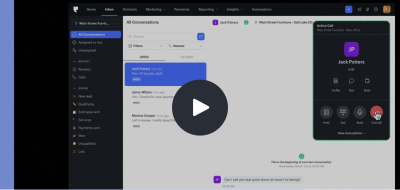
Engaging with potential clients is vital in this digital era. Podium Webchat can help you do just that. This tool enables online visitors to your website to initiate a text conversation, making it easier to connect and engage with prospects.
We recommend Webchat for the interior design industry because it allows you to answer potential customers’ queries in real-time, schedule appointments, and provide real-time assistance.
- Best For: Real-time client engagement and lead capture from your website
- Key Features: Instant messaging, appointment scheduling, integrated notifications
- Limitations: Paid plans for full functionality; relies on website traffic
- Skill Level: Beginner
Interior Design Workflow (How These Tools Work Together)
Each tool is useful in its own right, but it’s when you combine them that the real magic happens. Here’s an example workflow for using them:
- Inspiration: Pinterest for mood boards and idea curation
- Design: SketchUp, Palette CAD, or Revit for 3D modelling
- Visualisation: Photoshop for portfolio-ready renderings
- Project Management: Ivy or Houzz Pro to track tasks, timelines, and budgets
- Client Communication: Podium Webchat and Reviews for lead capture, instant queries, and feedback
This workflow connects creativity with operational efficiency, helping designers deliver professional results consistently.
Your Quick Software Use Case Guide
| Use Case | Recommended Tool(s) | Why It Works |
|---|---|---|
| Beginners | SketchUp, Pinterest | Intuitive, easy to learn |
| Freelancers | Podium Reviews, Webchat | Manage client communication solo |
| Agencies | Houzz Pro, Ivy | Streamline multiple projects and teams |
| 3D Modelling | Revit, Palette CAD | Advanced design and rendering capabilities |
| Client Communication & Feedback | Podium Webchat, Podium Reviews | Quick responses, better client experience |
The Key to Winning More Clients
Calling on the right software doesn’t just improve workflows, it directly impacts client acquisition and retention:
- Increased Lead Conversion: Capture website visitors instantly and turn inquiries into booked consultations.
- Streamlined Workflow: Keep all client messages, appointments and follow-ups in one platform, reducing missed opportunities.
- Stronger Client Relationships: Two-way messaging allows designers to answer questions, share updates and build trust throughout the project.
- Higher Client Retention: Prompt, transparent communication encourages repeat business and referrals.
- Effortless Reputation Management: Consolidate reviews from multiple platforms to maintain a polished online presence.
- Data-Driven Insights: Track message volume, response times and client engagement to improve service and marketing strategies.
- Personalised Messaging: Use dynamic fields to tailor messages to clients, making communication feel bespoke.
- Time Savings: Automate routine follow-ups, appointment reminders and review requests, freeing up time for design work.
- Competitive Advantage: Quick, professional responses set your business apart in crowded local markets like Sydney and Melbourne.
Podium’s tools integrate directly with design workflows, so you can focus on design while growing your business.
Ready?
There you have it, our top pick of software tools that can enhance your productivity, amplify your creativity, and streamline interactions with clients. Whether you’re a seasoned interior design veteran or a passionate newbie, these tools can simplify your workflow and make your design process a breeze. To find out how integrating software tools with Podium can further boost your business, check out our products here.