How brick-and-mortar stores can thrive in the digital world


Retail locations aren’t going anywhere, but their strategies are changing.
As consumers move towards online shopping experiences, it’s become a critical time for brick-and-mortar stores to reshape their business strategies for modern demands.
E-commerce stores like Amazon and eBay continue to prove that physical locations are optional for modern businesses. Online sales have pulled ahead of in-store shopping for the first time, proving just how much the internet is changing the retail industry. In this article, we’ll show you how your brick-and-mortar location can fit into this online-driven world.
Brick-and-mortar meaning
The term “brick-and-mortar” is used to describe retailers with at least one physical space. Brick-and-mortar stores are places where consumers can walk in and shop with all their senses, instead of relying on pictures and written descriptions alone. Common examples of this type of retailer include department stores, grocery stores, salons, fast food chains, and even the highly modern Apple stores at your local shopping centres.
While traditional brick-and-mortar stores are often pitted against online retailers, this isn’t to say that companies are limited to either online or offline channels. In fact, the rise of e-commerce—and beyond that, mobile commerce—has made a multichannel business strategy more important than ever for physical stores.
“Brick-and-mortar” may have roots in traditional building materials, but if tradition is the only foundation of your business, it won’t stay solid as the marketing landscape shifts. Blending online and offline tactics is a necessity for continuing your business growth.
Defining multichannel vs omnichannel retail
There’s an important distinction between multichannel and omnichannel retail that often gets lost. A multichannel business operates across several channels: a physical store, a website, and a social media shop, for example. An omnichannel business does the same, but those channels share customer data, inventory information, and transaction history. When the channels communicate with each other, the experience becomes consistent from the customer’s point of view regardless of where the interaction happens.
Consider a common Australian scenario: a customer checks whether a product is in stock at their local store using the retailer’s website, sends a question by text to confirm availability, then completes the purchase in person. If the retailer’s digital and in-store systems are connected, that is a smooth experience. If they are not, the customer might arrive to find the stock count was wrong or the staff member has no record of the earlier message. Omnichannel retail is really about making sure that kind of disconnect does not happen.
The future of brick-and-mortar stores
As the “retail apocalypse” continues to affect a long list of major brands—from department stores like MYER and David Jones to chemists like Chemist Warehouse—it may seem like brick-and-mortar is nearing its demise. However, these closures are far from a sign that physical stores are doomed.
So what’s the difference between brick-and-mortar businesses that thrive and those that die? In many cases, it’s the speed of adaptation. The retail apocalypse is less a sign that physical retail stores are over and more an indication of changing consumer behaviour.
People still want an in-store experience—for example, when they need to test drive a car or try on multiple pairs of shoes—but they are taking to the internet for many stages of the buyer’s journey. As they take advantage of the web, they expect to be able to learn more about and even reach out to your company from just about anywhere.
How successful brick-and-mortar stores communicate
With only 7% of shoppers using exclusively online shopping, it’s clear that there’s still a place for retailers with a physical presence. A large part of staying competitive in the modern world is knowing how to drive internet-savvy shoppers to checkout and provide the best customer experience possible.
Below, we’ll describe five communication strategies you can use to improve customer satisfaction for your brick-and-mortar store and move shoppers forward in the buyer’s journey.
1. Help customers reach out
The internet has given consumers a substantial amount of power over their own shopping experiences. As a result, buyers expect to be able to initiate conversations with businesses when it’s convenient for them.
With 63% of all shopping occasions starting on the web, according to Google, your customers likely won’t be headed to your storefront when they have questions. Instead, they’ll be seeking answers online.
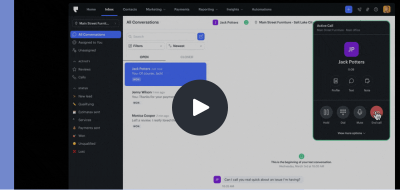
Your website should offer plenty of options for customers to easily reach out. This may include your phone number, email, and a contact form. We also recommend implementing a comprehensive chat tool that allows visitors to reach you from any page, so you can better capture leads and communicate with them in an even more convenient channel: watch demo.
Actively engaging with customers on your social media channels is also a great way to build relationships through two-way conversation, even before they visit you in-store.
Communication channels and when to use them
Different channels suit different types of conversations, and matching the channel to the customer’s intent makes a real difference. Phone calls work best for urgent or complex questions. Web chat handles product questions during browsing well, particularly when a customer is not ready to commit to a call. SMS is well suited to short updates such as appointment reminders, collection alerts, and order-ready notifications. Email makes more sense for detailed support responses, receipts, and longer follow-ups.
Social messaging takes cainitial enquiries and informal conversations, though customers who start there often expect a faster response than those who use email. In-store support remains the right channel for product demonstrations, fittings, and purchase guidance. Whatever channels you offer, publishing your service hours and setting clear response expectations makes a significant difference. Customers are generally forgiving of a reasonable delay when they know it is coming, but they’re much less forgiving when there is simply silence with no explanation.
2. Prioritise your response time
In the age of instant gratification, customers want responses as soon as possible. In the span of one year, from 2014 to 2015, the majority of consumers went from expecting email responses in four hours to expecting them in just one hour. Today, instant responses come recommended for professionals. With 51% of customers agreeing that businesses should be ready to engage at any moment, 24/7 support has become an important service for many companies.
Make sure you have a dedicated process for responding to customers on every channel—including online reviews. This process should include who needs to respond and when, as well as guidelines for what the response should look like. This way, your customers will get a seamless and consistent interaction whenever they reach out.
If you want to centralise all your interactions, Podium can help you watch a demo to see how their platform can benefit your business.
Setting practical response standards
Rather than applying a single response time target across every channel, most retailers are better served by setting a realistic standard for each channel separately and being transparent about it. Web chat that is genuinely monitored during business hours should aim to acknowledge a message within minutes.
Email can reasonably operate on a same-day or next-day expectation. Unanswered phone calls should route to an informative voicemail with a reliable call-back process rather than a generic recorded message. Automated acknowledgements are useful for confirming receipt, but they shouldn’t imply a human has already assessed the message.
Templates reduce response time and keep answers consistent. Routing enquiries to the right store or department from the start avoids the frustration of customers having to repeat themselves. After-hours self-service information should be easy to find rather than buried three clicks from the homepage. What matters most is that customers have clear information about when they can expect to reach someone, and that the business reliably meets that expectation.
3. Drive customers to your store
As you develop a relationship with your customer, the next step is to increase your foot traffic by encouraging customers to visit your store. Even if you have both an e-commerce and brick-and-mortar store, this is an important step, as online cart abandonment rates exceed 85% on mobile. By getting users to head to your store, you’ll be able to use in-store marketing tools, including displays and a showrooming strategy, to encourage customers to check out and buy other items, too.
To drive customers to your store, you can use digital marketing strategies like social media, email, and SMS marketing to turn the conversation towards why they need to visit you. For example, a clothing brand may follow up with a lead by promoting an in-store exclusive sale.
More ways to drive customers in-store
Social media, email, and SMS promotions work best when there is a genuinely compelling reason for someone to visit. Local inventory ads on Google let you show specific products that are currently in stock at a nearby location. Appointment booking turns browsing into a confirmed commitment, which works particularly well for considered purchases where customers want to see the product or speak to someone before deciding. In-store demonstrations, product trials, workshops, and exclusive services all offer something a website product page cannot replicate.
Geo-targeted campaigns concentrate your spend on people who are physically close enough to visit, rather than reaching a broad region with the same message. Digital coupons that can only be redeemed in store create a specific reason to make the trip and allow you to track which campaigns actually drove foot traffic. Loyalty program benefits that require an in-store visit give existing customers an additional reason to choose your physical location over the convenience of ordering online.
4. Be available in-store
Once your customer has made it to your physical building, their experience should be no less convenient. Your team members should be on the floor, ready to answer questions, be a friendly face, and help customers as needed. You can also implement ways for customers to easily call for assistance, such as a call button that alerts your employees.
Some businesses even make it easy for customers to live chat with them online while they shop in-store. For example, you can provide free WiFi with a landing page that directs customers to your site, social media channel, or app—wherever you have chat functions implemented.
To keep your in-store experience as efficient as possible, your communication strategy should also consider how your team members can stay connected on the floor. For example, you’ll want to avoid making a customer wait at a cash register while you run to your storeroom to check if a product is in stock.
Digital tools that improve the in-store experience
Adding technology to a store does not automatically improve the experience. The right question about any digital tool is whether it makes something genuinely easier or gives the customer access to information they could not otherwise find quickly. QR codes that link to product specifications, size guides, or extended ranges answer common questions without requiring a staff member to be nearby. Mobile point-of-sale systems let staff complete transactions anywhere on the floor rather than directing customers to a fixed counter.
Contactless payments and digital receipts remove friction at the point of purchase. For products not available in store, assisted online ordering gives customers access to the full range without sending them home to start the process again. Self-service kiosks help in high-traffic situations where staff are stretched. The consistent principle across all of these is that technology should reduce friction rather than create it.
5. Follow up
The end of the in-store shopping trip doesn’t have to be the end of your conversation with your customer. After a customer makes a purchase, you can turn back to your online channels with the goal of getting them to return to your store once again. To keep your customer engaged, you may thank them for their visit, offer a discount for their next in-store visit, or suggest products they may enjoy based on their purchase.
Continuing to go beyond in-store communication after the first visit is a great way to create loyal customers out of your current shoppers.
Building a better post-purchase follow-up
A follow-up strategy works better when it is based on what the customer actually bought rather than a generic message sent after every transaction. Order and collection confirmations, digital receipts, and basic care or setup instructions are low-effort communications that customers genuinely find useful.
The main thing to avoid is sending messages that provide no value beyond reminding the customer that your business exists. Over-messaging erodes the goodwill created by a good in-store experience faster than most other mistakes. Including a clear unsubscribe option and actually honouring it promptly is part of maintaining the trust built during the visit. Messages that refer to the actual purchase and provide something genuinely useful feel like a continuation of the service.
Your quick and simple brick-and-mortar digital checklist
Before getting to grips with the more advanced strategies, it’s worth confirming that the core requirements are in place. This checklist covers the most common gaps for Australian retailers with a physical presence:
1. Claim and update your Google Business Profile and other local directory listings
2. Add store-level product availability to your website
3. Set up click-and-collect with clear collection instructions and SMS or email notifications
4. Define a response standard for each communication channel you offer
5. Ask genuine customers for reviews and respond to all of them, including negative ones
6. Create or update a dedicated location page for each store
7. Connect customer information across your online and in-store systems
8. Train staff to handle digital enquiries and escalate complaints appropriately
9. Review accessibility at your physical store and across your digital touchpoints
10. Track which online actions result in in-store visits and purchases
Streamline your messages
Brick-and-mortar stores aren’t going anywhere, but the brands that stay are going to be those that adapt to a tech-savvy world. More and more consumers are using digital channels to engage with brands and start the customer journey, which means you need to ensure you’re open to communications in-store and online. Consumers want convenience, so you need to be wherever they need you.
Watch a demo of Podium in action and see how you can dominate your industry as a brick-and-mortar retailer.
Get our free “Chat for Local Retailers” e-book to learn more about how you can dominate your industry as a brick-and-mortar retailer.